
Debug settings
Tools for finding out why something is slow or wrong. Most people never need this section; if something misbehaves and you are asked for details, this is where they come from.
Logging Verbosity
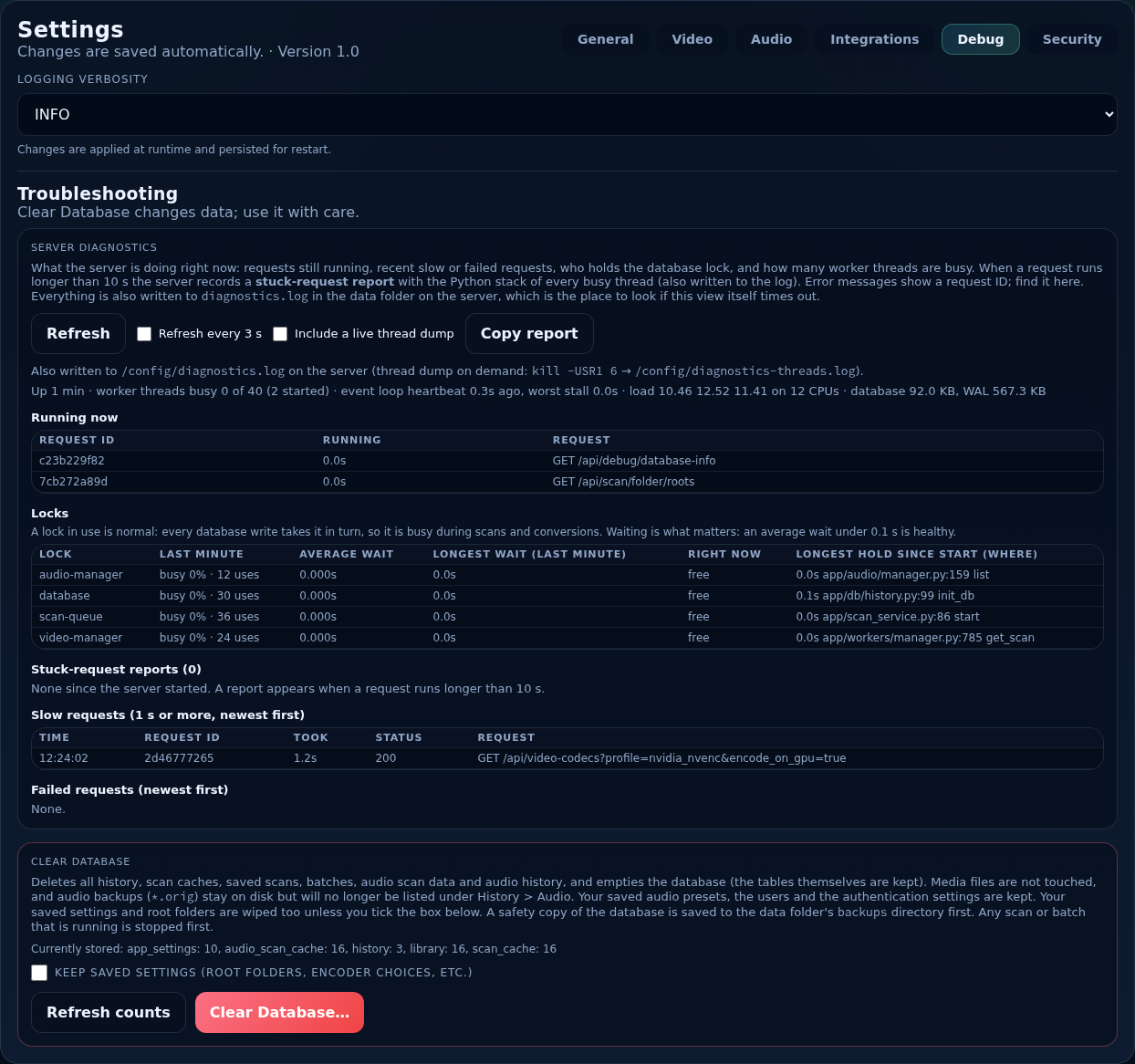
How much the server writes to its log: DEBUG-VERBOSE, DEBUG, INFO (default), WARNING, ERROR or CRITICAL. It applies at once and is remembered across restarts. Turn it up only while investigating a problem; the log grows quickly at DEBUG.
Server diagnostics
Shows what the server is doing right now: requests still running, recent slow or failed requests, who holds the shared database lock, and how many worker threads are busy. Refresh loads it; tick Refresh every 3 s to watch it, Include a live thread dump for the stacks of the busy threads, and Copy report to put it on the clipboard. When a request runs longer than 10 seconds the server records a stuck-request report. Everything is also written to diagnostics.log in the data folder, which is the place to look if this view itself times out.
Clear Database
Deletes all history, scan caches, saved scans, queues, audio scan data and audio history, and empties the database (the tables are kept). Media files are not touched. Audio backups (*.orig) stay on disk but are no longer listed. Your saved audio presets, the users and the authentication settings are kept. Your settings and root folders are wiped too unless you tick Keep saved settings. A safety copy of the database is saved to the backups folder of the data folder first, and any scan or queue that is running is stopped.
The panel shows what the database holds, with Refresh counts.
Use with care
This removes your history and savings totals. Use it when you want a clean start, not to fix a single problem.